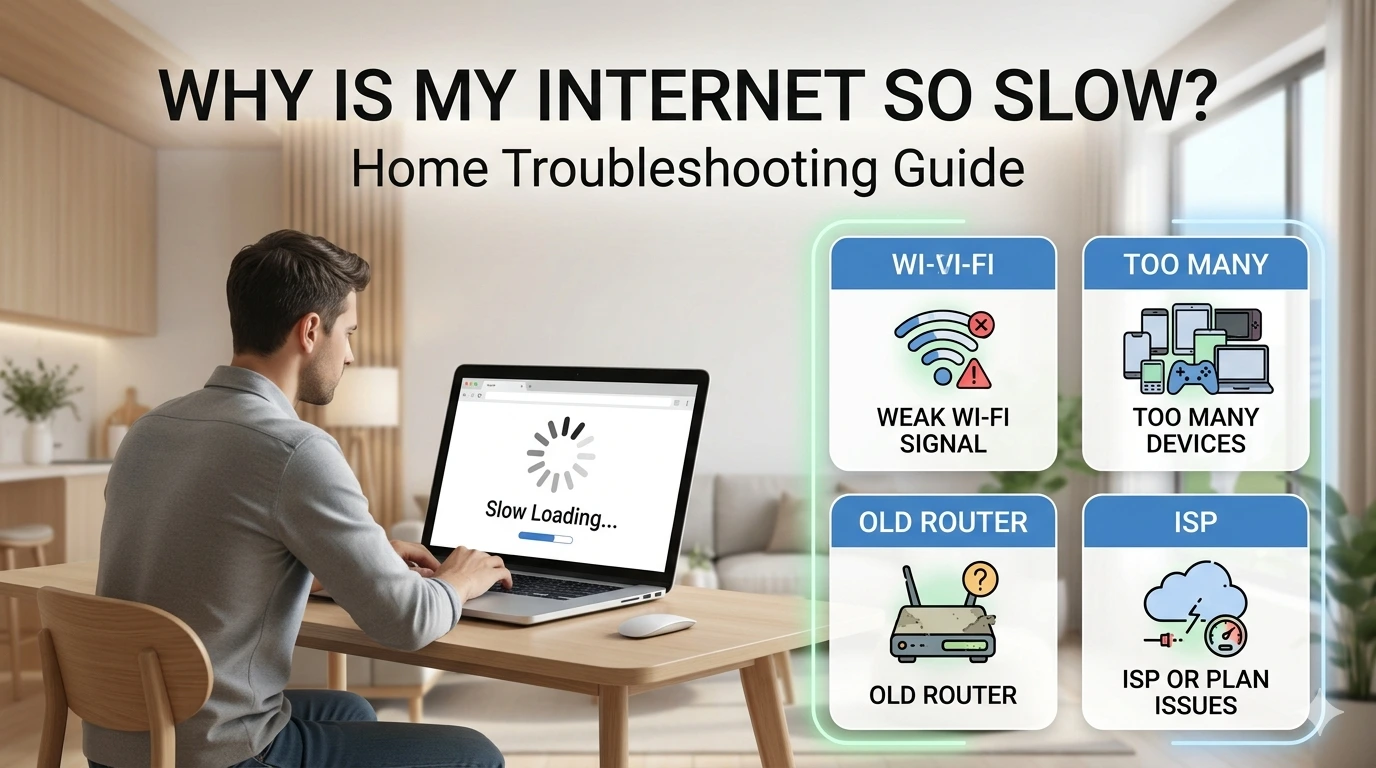
Why Is My Internet So Slow? Canadian Home Troubleshooting Guide
Slow internet does not always mean your provider is giving you a bad plan. In many Canadian homes, the real problem is weak Wi-Fi, an old router, a busy gateway, too many devices, or one room that is hard for the signal to reach.
The fastest way to figure it out is to separate slow Wi-Fi inside your home from slow internet coming from the provider. This guide walks you through the checks in the right order.
Run one test by Ethernet and one by Wi-Fi.
The plan is fine, but the Wi-Fi signal is weak.
Wired speed is still poor after a restart.
Quick answer: why your internet feels slow
Start simple before changing your plan.
If every device is slow, even beside the router, the problem may be the modem, gateway, internet plan, or ISP connection.
If only one room is slow, or Wi-Fi is much worse than Ethernet, the problem is probably your home Wi-Fi setup.
If the internet is mostly slow at night, during storms, or after you use a lot of data, check for provider congestion, outages, fixed wireless limits, satellite priority rules, or plan terms.
First, decide if it is slow Wi-Fi or a slow internet plan
People often say “my internet is slow” when they really mean “my Wi-Fi is slow in this room.” Those are not always the same problem.
Your internet plan is the connection your provider delivers to your home. Your Wi-Fi is the wireless signal your router, mesh system, or ISP gateway sends around your home. A fast plan can still feel slow if the Wi-Fi signal is weak, crowded, or coming from old equipment.
| What you notice | Most likely issue | First fix to try |
|---|---|---|
| Speed is good beside the router but bad in one bedroom | Weak Wi-Fi signal or thick walls | Move the router, use mesh, or add wired backhaul if possible |
| Speed is bad on Wi-Fi and Ethernet | Modem/gateway, line issue, plan limit, or provider issue | Restart equipment, test again, then call the ISP if it continues |
| Speed drops mostly in the evening | Congestion, busy home usage, or neighbourhood/network load | Test at different times and compare Ethernet results |
| Only one phone, laptop, or TV is slow | Device issue, old Wi-Fi chip, VPN, app, or background download | Restart that device and test another device in the same spot |
| Speed drops after heavy usage | Plan limit, data cap, fair use policy, or satellite/mobile priority rule | Check your account usage and plan details |
Restart your modem, router, or gateway the right way
A restart sounds too simple, but it is still one of the best first checks. Routers and gateways can get stuck, run hot, hold onto bad connections, or struggle after firmware updates.
Find out what equipment you have
Many Canadian households use an ISP gateway. That means the modem and router are in one box. Some homes have a separate modem or fibre terminal plus a separate router or mesh system.
Unplug the power
Unplug the modem, gateway, router, or mesh base unit for about 30 seconds. Do not press the factory reset button unless your provider tells you to.
Plug the internet box back in first
If you have separate equipment, plug in the modem or fibre terminal first and wait until the connection lights settle. Then plug in your router or mesh system.
Run the same speed test again
Use the same device and same location after the restart. This makes your before-and-after result more useful.
Important: restart is not the same as reset.
A restart turns the equipment off and back on. A reset can erase Wi-Fi names, passwords, bridge mode settings, and custom router settings. For normal troubleshooting, restart first.
Test by Ethernet vs Wi-Fi
This is the most useful troubleshooting step because it tells you whether the problem is likely inside your home Wi-Fi or coming from the provider side.
Best for checking the internet plan
Connect a laptop directly to the router, gateway, or modem using an Ethernet cable. Turn off VPNs and pause big downloads. Then run a speed test.
Best for checking home coverage
Run one Wi-Fi test beside the router and one in the slow room. If the slow room is much worse, your issue is probably signal, placement, or interference.
A single speed test is not perfect. Run a few tests at different times of day. If Ethernet speeds are close to what you expect but Wi-Fi is poor, upgrading the internet plan may not fix the problem. You may need better router placement, a newer router, or mesh Wi-Fi.
Use your results like clues.
- Ethernet is fast, Wi-Fi is slow: focus on Wi-Fi signal, router age, placement, or mesh.
- Ethernet and Wi-Fi are both slow: restart equipment, check outages, then contact your ISP.
- Only one device is slow: update or restart that device before blaming your provider.
Old router, weak signal, or bad placement
An older router can make a good internet plan feel worse than it is. This is especially true if you upgraded to a faster plan but kept older Wi-Fi equipment, or if your ISP gateway is hidden in a basement, closet, utility room, or metal cabinet.
Signs the router or gateway is the problem
- Wi-Fi is much faster in the same room as the router.
- Video calls freeze in bedrooms, basements, or far corners of the home.
- Newer phones test faster than older laptops or TVs.
- The router is several years old and does not support newer Wi-Fi standards.
- The router is beside appliances, concrete, metal, mirrors, or inside a cabinet.
Before buying anything, move the router or gateway if you can. A central, open, higher location usually works better than a floor-level corner. If you live in an apartment, avoid overbuying a large mesh system right away. A cleaner router location or a better router may be enough.
Try placement first
If only one room is slow, you may not need a bigger internet plan. Try moving the router, checking the slow device, or reading the mesh Wi-Fi vs extender vs better router guide.
Mesh may help
If the entire home has weak Wi-Fi, especially with thick walls or multiple floors, a mesh system may work better than a single router. Placement still matters.
For a deeper explanation of newer Wi-Fi standards, see Wi-Fi 6: the basics Canadians should know.
Too many devices or background usage
Your home can feel slow even if the plan is working. The issue may be that too many devices are using the connection at the same time.
Common bandwidth-heavy activities include 4K streaming, cloud backups, game downloads, security cameras, video calls, smart TVs, and phones automatically uploading photos. One large download can make other devices feel slower, especially on lower-speed plans or plans with weak upload speed.
Quick home check
- Pause cloud backups and game downloads, then test again.
- Turn off VPNs during a speed test because they can reduce speed.
- Restart the streaming device or smart TV, not just the router.
- Check whether someone is uploading large files while others are on video calls.
- Look inside your router or ISP app to see how many devices are connected.
If your speed test looks fine but your home still feels slow during busy times, your plan may not have enough upload speed or total capacity for your household. The internet speed test guide can help you read the numbers more clearly.
Provider congestion, outages, throttling, and plan limits
Sometimes the problem is not your router. It may be an outage, a neighbourhood issue, a line problem, a modem signal issue, or a plan limitation.
| Provider-side clue | What it may mean | What to do next |
|---|---|---|
| Wired speed is far below your plan after a restart | Line, modem, gateway, or provider issue | Call the ISP and give them your wired speed test results |
| Slow speed mostly at the same time every evening | Local congestion or shared network load | Test at peak and off-peak times and ask about local congestion |
| Speed is poor during weather or in rural areas | Fixed wireless, satellite, or outside line issue | Check outage notices and ask the provider to test the connection |
| Speed drops after heavy monthly usage | Data cap, fair use policy, or lower priority after a usage threshold | Check your account usage and plan terms |
| Only certain apps or sites are slow | App server issue, VPN, device, DNS, or routing problem | Try another device, another browser, and no VPN before calling |
Be careful with the word “throttling.” On many Canadian cable and fibre home plans, slow speed is more often caused by Wi-Fi, congestion, equipment, or line issues. But some internet plans, especially fixed wireless, mobile internet, rural, satellite, or older limited plans, may have data caps, reduced speeds after a threshold, or priority rules. The best check is your actual plan terms and usage page.
When to call your ISP
Call your internet provider when the basic checks point to a provider-side issue, not just a weak room in your home.
What to tell the ISP
Say: “I restarted the modem or gateway, tested by Ethernet, turned off VPNs, and the wired speed is still much lower than my plan.” That is much more useful than only saying the Wi-Fi feels slow.
Ask these questions
- Can you test the line or modem signal from your side?
- Is there an outage or congestion issue in my area?
- Is my modem or gateway old enough to replace?
- Does my plan have a data cap, fair use policy, or speed reduction after a usage limit?
- Am I on the right plan for my household usage?
- If I use my own router, should the gateway be put in bridge mode?
If you are not sure what your ISP box does, read Modem vs Router vs Gateway: What Canadians Need to Know before replacing equipment.
Apartment, condo, basement, and whole-home tips
The right fix depends on your home layout. A small apartment does not need the same solution as a two-storey house with a finished basement.
Avoid overbuying
In an apartment, the issue is often router placement, crowded Wi-Fi channels, or an old ISP gateway. Start with placement and a wired speed test. For more ideas, see how to boost apartment internet speed.
Think coverage
If the router is in the basement or one corner of the house, upstairs rooms may struggle. Mesh Wi-Fi or wired access points may help more than a faster plan.
Placement matters
Concrete, brick, metal, mirrors, and appliances can weaken Wi-Fi. Move mesh nodes into open spots where they still have a strong connection to the main unit.
Use wires when it matters
For gaming, work calls, and smart TVs, Ethernet is usually the most stable option. If Ethernet is not possible, powerline or MoCA may be worth researching depending on your wiring.
The best order to fix slow internet
Use this order so you do not spend money before you know the cause.
Restart the equipment
Restart the modem, router, gateway, or mesh base. Then test again.
Run an Ethernet speed test
If wired speed is poor, focus on the ISP, modem, gateway, plan, or line. If wired speed is good, focus on Wi-Fi.
Test Wi-Fi beside the router and in the slow room
This tells you whether the issue is range, walls, interference, or one device.
Check router age and placement
Move the router into an open central spot. If it is old, consider upgrading the router before paying for a faster plan.
Call the ISP with your results
If Ethernet is still far below your plan after a restart, ask the ISP to test the line, check for outages, and review your gateway.
What to read next
Use these next steps based on what your test showed.
FAQ: slow internet in Canada
Why is my Wi-Fi slow but my internet speed test is fine?
Your internet plan may be working, but your Wi-Fi signal may be weak where you are using it. Walls, distance, old routers, router placement, and crowded Wi-Fi can all reduce speed before the signal reaches your device.
Should I upgrade my internet plan if my internet is slow?
Not right away. First test by Ethernet. If Ethernet speed is close to what you pay for but Wi-Fi is slow, a faster plan may not fix the problem. You may need better Wi-Fi equipment or placement.
How do I know if my ISP is the problem?
If wired Ethernet speed is still far below your plan after a restart, and multiple devices are affected, the issue may be the modem, gateway, line, local congestion, outage, or provider connection. That is when it makes sense to call your ISP.
Can too many devices slow down my internet?
Yes. Streaming, video calls, security cameras, game downloads, cloud backups, and smart TVs can all compete for speed. Upload-heavy tasks can be especially noticeable on plans with lower upload speed.
Is an Ethernet cable better than Wi-Fi?
Ethernet is usually more stable because it avoids Wi-Fi distance, walls, interference, and signal drops. It is a good choice for work computers, gaming, and smart TVs when you can run a cable.
Can my internet provider throttle my home internet?
Some plans may have data caps, speed reductions, fair use policies, or priority rules, especially on fixed wireless, mobile internet, rural, satellite, or older plans. Many urban cable and fibre plans are unlimited, so check your own plan terms before assuming throttling.