How Much Internet Speed Do I Need in Canada? 50, 100, 500 Mbps or 1 Gbp
Updated September 2026 · Canadian speed guide
Most homes do not need gigabit internet. A reliable 100 Mbps plan is enough for many couples and small households, while 150 to 300 Mbps gives most busy families comfortable room. The hard part is figuring out whether your real bottleneck is plan speed, upload speed, or Wi-Fi.
What internet speed fits your home?
Choose your household, then add the things that put the most pressure on your connection. The result is a sensible range, not a sales target.
1. Choose the closest household
2. Add the demanding parts of your routine
50 to 100 Mbps
This should cover one person’s normal browsing, streaming, calls, and everyday downloads.
Quick answer
Start with 50 to 100 Mbps for one person, about 100 Mbps for two people, 150 to 300 Mbps for a family of three or four, and 300 to 500 Mbps for a larger or unusually busy home.
Move up a tier when several demanding activities happen together, or when faster game and file downloads are worth paying for. Do not move up just because one room has weak Wi-Fi. That is usually a coverage problem.
The CRTC still uses 50 Mbps download and 10 Mbps upload, plus access to an unlimited-data option, as its fixed broadband target. That is a national access objective, not a promise that 50/10 suits every household. It is best treated as a useful floor.
How much internet speed do you need at home?
Count people who are actively using the connection, not every light bulb and speaker listed in your router app. A smart plug sitting idle uses almost nothing. Two 4K TVs, a game download, a video call, and a cloud backup running together are a different story.
Use the table as a starting point, then choose the closest tier your local providers actually sell.
| Household | Good starting point | Go higher when |
|---|---|---|
| One person | 50 to 100 Mbps | You regularly download large games or work files, or you want shorter waits. |
| Two people | About 100 Mbps | Both people often stream in 4K, take calls, or move large files at the same time. |
| Family of 3 or 4 | 150 to 300 Mbps | Busy evenings include several streams, calls, downloads, and cloud backups together. |
| Five or more people | 300 to 500 Mbps | Several people are heavy users, or large downloads regularly compete with calls and streaming. |
| Heavy-use home | 500 Mbps to 1 Gbps | You value very short download times, have several heavy users, and your equipment can use the extra speed. |
Reliable beats impressive. A steady 100 Mbps connection with useful upload speed and good Wi-Fi can feel better than a gigabit plan that is congested, poorly installed, or weak in the rooms where you use it.
How much speed do streaming, calls, and gaming use?
The number on an internet plan is shared by the whole home. The numbers below show why ordinary activities rarely need gigabit on their own.
| Activity | Typical requirement or example | What to look for |
|---|---|---|
| Web browsing, email, and banking | Low bandwidth | 50 Mbps is plenty for a light household if the connection is stable. |
| Netflix in 1080p | Netflix recommends 5 Mbps per stream | Leave room for other people and background downloads. |
| Netflix in 4K | Netflix recommends 15 Mbps per stream | One or two 4K streams do not require gigabit. |
| Zoom or Teams video call | Roughly 3 to 4 Mbps in each direction for high-quality 1080p video | Upload speed, Wi-Fi stability, and latency matter as much as download speed. |
| Regular online gaming | Usually modest bandwidth once the game is installed | Prioritize low latency, low packet loss, and Ethernet where practical. |
| Cloud gaming | Xbox lists 20 Mbps for best performance on consoles, PCs, and tablets | A stable 100 Mbps household plan is a safer starting point if other devices are active. |
| Cloud security cameras | Upload use varies by model and quality; some Nest cameras can use about 2 to 4 Mbps each | Add the cameras together and leave upload room for calls and backups. |
| Large game or file download | No fixed minimum; more speed mainly cuts the wait | Choose 300 Mbps or more if frequent large downloads are worth paying to finish faster. |
Gaming is often misunderstood. A faster plan can shorten a 100 GB game download, but it will not automatically lower your ping. For live play, connection stability and the route to the game server matter more. See our Canadian gaming internet guide for a fuller explanation.
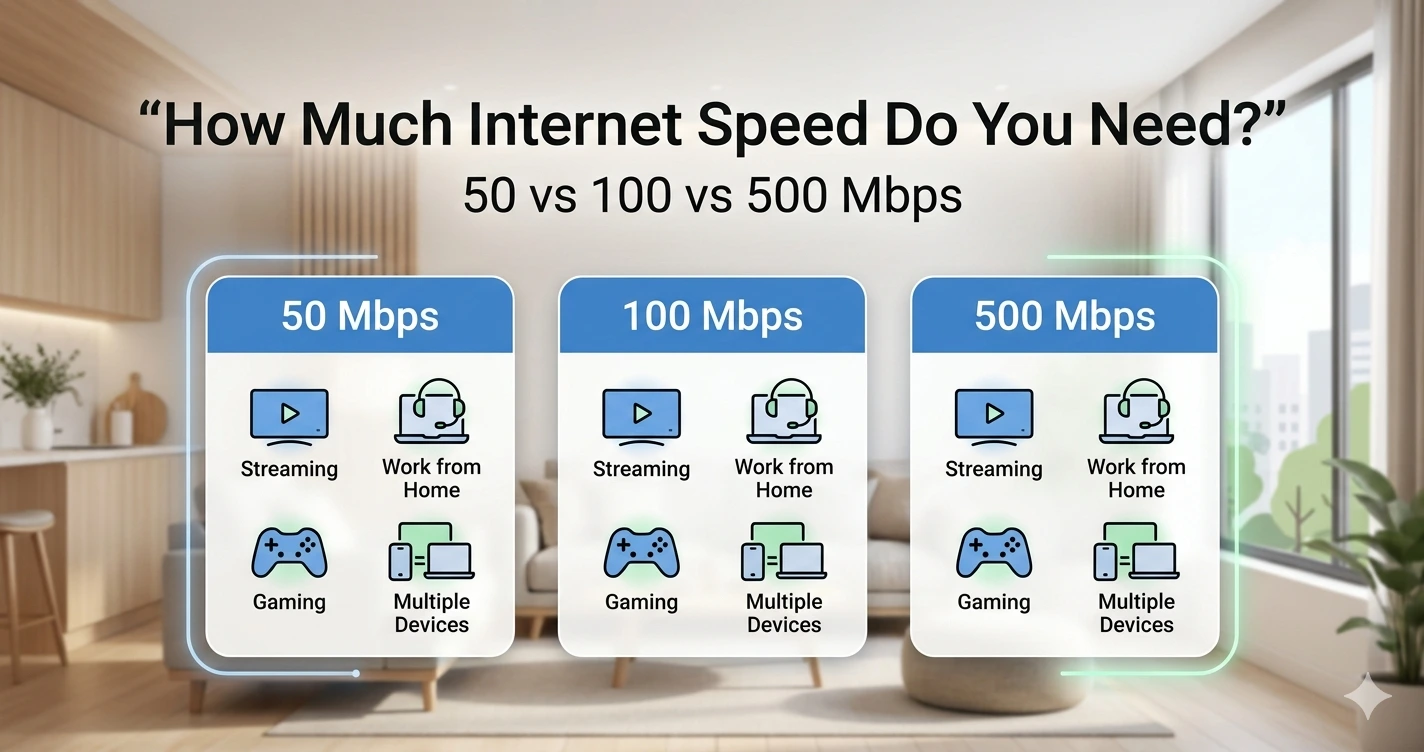
50 Mbps vs 100 Mbps vs 300 Mbps vs 500 Mbps vs 1 Gbps
Plan names make the biggest number look like the best choice. In practice, each step up mostly gives your home more shared headroom and reduces download time.
50 Mbps
Best for: One light user, or a budget household that rarely has several demanding tasks running together.
Limit: Large downloads can crowd out calls and streaming.
100 Mbps
Best for: Many singles, couples, renters, and small households.
Limit: A big download can still be noticeable during a busy evening.
150 to 300 Mbps
Best for: Most families with several streams, calls, school devices, and normal gaming.
Limit: Upload speed may still be low on some plans.
500 Mbps
Best for: Large households, frequent downloads, or several people working and streaming at once.
Limit: Weak Wi-Fi can stop devices from seeing anything close to the plan speed.
1 Gbps
Best for: Very large transfers, many heavy users, or a small price jump from 500 Mbps.
Limit: Ordinary browsing, streaming, and online play will not suddenly feel ten times faster than on 100 Mbps.
Download speed and upload speed are not the same
Download speed
Used when you stream video, load websites, receive files, update apps, or download games.
Upload speed
Used when you send files, join video calls, back up photos, livestream, or send camera footage to the cloud.
A plan advertised as 500 Mbps usually puts the download number in the name. Its upload speed could be much lower. Fibre-to-the-home service often has stronger upload performance, and some plans are symmetrical, but you should check the exact plan rather than assume. Our guide to fibre, cable, DSL, 5G, and satellite internet explains the differences.
A practical upload-speed guide
| Home use | Practical upload target | Why |
|---|---|---|
| Basic use and occasional calls | 5 to 10 Mbps | Enough for light sending and one good video call if the line is stable. |
| One regular remote worker | 10 to 20 Mbps | Leaves room for calls, screen sharing, file syncing, and background use. |
| Two remote workers or online students | 20 Mbps or more | Several calls and cloud services can run together without using the full upload capacity. |
| Several cameras or frequent large uploads | 50 Mbps or more | Extra upload speed shortens backups and leaves headroom for live traffic. |
| Creator work, livestreaming, or very large transfers | 100 Mbps or symmetrical fibre where available | The right number depends on file size, stream quality, and how many tasks run together. |
For remote work, do not shop by download speed alone. If meetings freeze when files are syncing, a plan with better upload speed may help more than a larger download number.
Why your Wi-Fi speed can be lower than your plan
Your plan speed measures the internet service coming to the home under the provider’s test conditions. A phone upstairs is also dealing with distance, walls, interference, the router, and the phone’s own Wi-Fi hardware. A lower result in that room does not automatically mean you need a faster plan.
- Distance and walls: Signal gets weaker as it travels through floors, concrete, brick, metal, and long hallways.
- Router placement: A router tucked in a basement corner starts at a disadvantage.
- Older equipment: The modem, router, phone, laptop, or Ethernet port may be the limit.
- Interference: Nearby networks, baby monitors, microwaves, and crowded apartment buildings can affect Wi-Fi.
- Wi-Fi band: 2.4 GHz usually reaches farther. The 5 GHz and 6 GHz bands can be faster at shorter range.
- Mesh placement: A mesh point with a poor link back to the main router cannot create speed that never reached it.
1
Test beside the router. This shows what a strong Wi-Fi connection can deliver.
2
Test with Ethernet. If possible, plug in a computer to separate the plan from the Wi-Fi.
3
Test the problem room. A large drop there points to coverage or interference.
Start with evidence. Run our Internet Speed Test Canada checks, then use the slow internet troubleshooting guide if the wired result and room-by-room results do not match.
When is gigabit internet worth it?
Gigabit internet is mostly about capacity and waiting less. It is useful when several heavy users share a connection or when large downloads are common. It is less useful when the real problem is poor Wi-Fi, high latency, weak upload speed, or an old device.
Gigabit may be worth it
- Several people regularly do bandwidth-heavy work at once.
- You download large games, raw video, or work files often.
- The plan includes strong upload speed.
- Your main devices use capable Wi-Fi or wired Ethernet.
- The price is only slightly higher than 500 Mbps.
Gigabit is probably overkill
- You mostly browse, stream on one or two TVs, and use email.
- You are buying it only to improve gaming ping.
- The slow spot is one room far from the router.
- Your devices or router cannot use the extra speed.
- The upgrade adds a meaningful monthly cost.
When 500 Mbps and 1 Gbps are close in price, compare the regular price after the promotion, equipment charges, installation costs, and contract terms. Our internet cost calculator makes that easier.
Five checks before you upgrade
1. What happens at the busiest time of day?
Think about a normal evening. Count the streams, calls, downloads, backups, cameras, and people who are active together. That matters more than the total number of connected devices.
2. Is the problem download speed, upload speed, or latency?
Slow downloads point toward download capacity. Frozen outgoing video or sluggish cloud backups can point toward upload capacity. Lag in games may be latency, packet loss, Wi-Fi, or routing rather than plan speed.
3. Is every device slow, or only one room?
If an Ethernet test is good and only the upstairs bedroom is slow, fix the Wi-Fi coverage first. Our mesh Wi-Fi vs extender vs router guide can help you choose the right fix.
4. What upload speed does the plan include?
Do not assume a 500 Mbps or 1 Gbps download plan has equally fast upload. Ask for the exact upload number for the plan and address you are considering.
5. What will the plan cost after the promotion?
Check the regular monthly price, equipment and installation charges, cancellation terms, and whether the provider can change the price. Our guide to lowering your internet bill in Canada covers the negotiation side.
The connection type matters as much as the speed tier
Two plans with the same download number can behave differently. Fibre-to-the-home can offer strong upload speed and low latency. Cable can deliver fast downloads but may have a much smaller upload allowance. DSL, fixed wireless, 5G home internet, and satellite can vary more with line quality, signal, congestion, weather, or obstructions.
Availability can change from one building or street to the next. Confirm the plan technology, download and upload speeds, equipment, data allowance, and full price for your exact address. You can compare the large providers in our Bell vs Rogers vs TELUS guide, browse Canadian ISP reviews, or start with the internet provider guides by city.
Bottom line
100 Mbps is enough for many small households. Around 150 to 300 Mbps is a comfortable choice for most families. Choose 500 Mbps or gigabit when large downloads, many heavy users, or a small price difference make the extra capacity worthwhile.
If your current connection feels slow, test it before you upgrade. A higher plan tier cannot repair bad router placement, weak room coverage, or an old device.
Frequently asked questions
Is 50 Mbps enough for home internet in Canada?
It can be. A reliable 50 Mbps plan can serve one light user, or sometimes two people who do not run several demanding tasks together. It will feel tight sooner when large downloads compete with streaming or video calls.
Is 100 Mbps enough for a family?
It may be enough for a small family with ordinary streaming, browsing, schoolwork, and gaming. Move toward 150 to 300 Mbps when several people regularly stream in 4K, take video calls, or download large files at the same time.
How much speed do I need to work from home?
A reliable 50 to 100 Mbps plan is enough for one remote worker in many homes. Check upload speed as well. Aim for at least 10 Mbps upload, or more when several people take calls, sync files, or use cloud backups together.
How much speed do I need for gaming?
Regular online gaming does not require a very fast plan. A stable 50 to 100 Mbps connection can be enough for a small household. Low latency, low packet loss, and a wired connection often matter more. Cloud gaming and large game downloads use much more bandwidth.
Do I need 500 Mbps internet?
Most small households do not need it, but 500 Mbps is a useful tier for large families, several heavy users, or frequent large downloads. It gives more shared headroom, provided your Wi-Fi and devices can use it.
Why is my speed test lower than the plan speed?
Wi-Fi distance, walls, interference, older hardware, device limits, network congestion, and background traffic can all lower a result. Test with Ethernet and beside the router before deciding that the plan itself is too slow.
Sources and methodology
The household recommendations in this guide are editorial starting points based on simultaneous use, not provider advertising. App-level figures come from the official sources below. Actual performance still depends on the connection, equipment, Wi-Fi, server, and local network conditions.
- CRTC: Internet and the universal service objective
- Netflix: Recommended internet speeds
- Zoom: System and bandwidth requirements
- Microsoft Teams: Network and bandwidth guidance
- Xbox: Cloud gaming connection guidance
- Google Home: Nest camera bandwidth requirements
- Google Home: Wi-Fi speed and performance
Related home internet guides
Editorial note: This guide is meant to help Canadians choose a sensible starting tier. Confirm the exact download speed, upload speed, connection type, equipment, data allowance, regular price, and availability for your address before ordering.