Internet for your Apartment – a guide for Canadians
Moving into a new apartment? Already in one and frustrated with your options? This guide walks Canadian renters through building wiring, provider choice, fair pricing, Wi-Fi problems, shared internet, and move-in setup.
Updated May 2026 · No Affiliate LinksApartment internet is very address-specific. The building next door can have different wiring, different provider access, and different speeds. A newer condo may have fibre to each unit. An older walk-up may rely on cable or DSL. A basement suite may share a connection with the main house unless you set up your own account.
The best apartment internet plan is not always the fastest one. It depends on how many people live there, whether anyone works from home, whether you game, how thick the walls are, and whether your unit is crowded by nearby Wi-Fi networks. If you are not sure what speed tier you actually need, start with our Canadian internet speed guide and then compare realistic pricing with the Internet Cost Calculator.
There may also be more provider choice than the building manager first mentions. The CRTC requires large network owners to provide wholesale access under specific rates, terms, and conditions, and newer fibre access rules are giving competitors more ways to use large telephone-company fibre networks. That does not mean every provider is available in every apartment building, but it does mean renters should check more than one option before signing up.
Quick apartment rule: Before you choose a plan, ask three questions: which providers are already wired into my building, what speed do I actually need, and is my problem the internet plan or the Wi-Fi inside the unit?
🔎 Apartment Internet Plan Finder
Answer three quick questions and we will recommend the right type of plan for your apartment. For a deeper estimate, use this with our Internet Cost Calculator.
How Your Building Type Affects Your Internet
The biggest factor for your apartment internet is not the provider logo. It is the wiring in the building. Fibre, cable, DSL, fixed wireless, 5G home internet, and satellite all behave differently. For a plain-English comparison, read our fibre vs cable vs DSL vs 5G vs satellite internet guide.
How to Find Out What Providers Serve Your Building
Do not just go with the first provider you see advertised. Use this process to find the real options for your exact unit:
- Ask your landlord or building manager first. Ask which internet providers already have equipment or wiring in the building. Also ask whether internet is included in rent, whether there is a bulk building deal, and whether you can order your own plan.
- Check the large providers by exact address. Enter your full address and unit number on Bell, Rogers, TELUS, SaskTel, Vidéotron, Eastlink, Cogeco, or your local cable/fibre provider’s site. Availability can change by building and even by unit.
- Check independent and regional ISPs. Some competitors sell service using wholesale access to large networks, while others have their own fibre in select buildings. Availability is not automatic, so use the provider’s address checker.
- Compare the big-provider options carefully. If Bell, Rogers, or TELUS is available, use our Bell vs Rogers vs TELUS internet guide to understand the tradeoffs.
- Ask your neighbours. A neighbour can tell you what providers people actually use in the building, whether evening speeds drop, and whether Wi-Fi is weak in certain units.
Wholesale access note: CRTC rules can allow competitors to use large telephone-company fibre networks and large cable/telephone networks under regulated terms. This can create more choice, but it does not guarantee that every reseller will serve every address. Always check your unit directly.
What Should Your Apartment Internet Cost?
Canadian internet pricing changes often because of promos, bundles, equipment fees, installation fees, and address-specific offers. Treat the ranges below as a sanity check before tax, not a guaranteed quote. For a personalized estimate, use our Internet Cost Calculator.
| Speed Tier | Typical Advertised Range | Good For | Watch For |
|---|---|---|---|
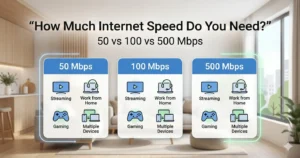
| 50 to 100 Mbps | $40 to $75/mo | 1 person, light streaming, browsing | Upload speed, data limits, equipment fees |
| 150 to 300 Mbps | $50 to $95/mo | 1 to 2 people, streaming, work from home | Promo expiry, modem/gateway rental |
| 500 Mbps to 1 Gbps | $60 to $120/mo | Roommates, gaming, 4K streaming, many devices | Whether Wi-Fi can actually deliver that speed |
| 1 Gbps+ | $70 to $130+/mo | Heavy users, fibre buildings, large uploads | Overbuying if your household does not need it |
The cheapest apartment internet is not always the best value. A $50 plan that drops calls during work is not a bargain. But many renters also overpay for gigabit internet when a 150 to 300 Mbps plan would feel the same for normal streaming and browsing. If you are unsure, read How Much Internet Speed Do I Need in Canada? before upgrading.
Apartment pricing tip: If you might move within a year, be careful with long contracts. Month-to-month can be worth paying slightly more for if it avoids cancellation fees, installation headaches, or a plan that cannot move with you.
Bulk Internet Deals and “Internet Included” Buildings
Some apartments and condos include internet as part of rent or condo fees. This is often called a bulk internet deal, where the building owner or condo board negotiates service for many units. It can be convenient, but you should still ask questions before assuming it is the best deal.
Pros of bulk internet
- Internet may be ready when you move in.
- The per-unit cost can be lower than an individual plan.
- There may be one standard setup across the building, which can simplify support.
Things to watch out for
- Speed may be limited. Ask for the exact download and upload speeds, not just “high-speed internet.”
- You may not control the equipment. If you cannot access router settings, security and troubleshooting can be harder.
- You may be paying for it either way. “Included in rent” usually means the cost is built into rent or fees. If you order your own plan, you may effectively pay twice.
- Support may go through the building. If the account is controlled by the landlord or condo board, you may not be able to call the ISP directly for every issue.
Ask before you sign: “Is internet included in the rent? Which provider is it? What speed is included? Do I get my own private Wi-Fi network? Can I opt out or order my own plan?”
✅ Apartment Move-in Internet Checklist
Use this checklist to make sure your internet is sorted before or immediately after moving day.
Apartment Wi-Fi Problems: Before You Upgrade Your Plan
Apartment buildings are tough on Wi-Fi. Nearby routers crowd the same channels, concrete and metal can block signal, and your router may be stuck in a closet or panel box. If your plan is fast but your phone feels slow in the bedroom, paying for a bigger plan may not fix the problem.
Start with a simple test. Run a speed test near the router and then again in the problem room. If possible, test one laptop by Ethernet. If Ethernet is fast but Wi-Fi is slow, your issue is likely Wi-Fi coverage or interference. If Ethernet is also slow, the plan, wiring, modem, or provider may be the problem. Our Canadian slow internet troubleshooting guide walks through the difference.
Most common apartment fix: For one weak room, a better router placement or one extender may help. For whole-unit weak Wi-Fi, mesh may be better. For newer devices and crowded buildings, Wi-Fi 6 can help, but only if your devices and router support it.
If you share internet with roommates, also set ground rules for payment, passwords, guests, smart devices, and what happens when someone moves out. Our sharing internet in apartments guide covers that part.
Can You Switch Providers in Your Apartment?
Usually, yes, but your real options depend on the wiring in your building and which providers serve your exact unit. A landlord, condo board, or property manager may have preferred providers, but CRTC multi-dwelling unit rules are meant to support competition and resident choice when telecom providers need building access under reasonable terms.
What wholesale access means in plain English
The CRTC requires large network owners to sell wholesale access to parts of their networks under regulated rates, terms, and conditions. That is why a smaller ISP may be able to sell service over a large provider’s cable or fibre network. In 2024 and 2025, the CRTC also moved forward with aggregated wholesale fibre-to-the-premises access on large telephone-company fibre networks, with final rates set in 2026.
For renters, this means you should not assume the first provider listed by the building is your only choice. But you also should not assume every reseller can serve your unit. The only reliable test is an address check with your exact unit number.
How to switch without a gap
Do not cancel your old service before the new service is installed or activated unless you are comfortable being offline. Under the Internet Code, you can cancel your internet service at any time by notifying your provider, and the provider must cancel service on the day requested by you or by someone acting on your behalf. You do not need to give 30 days notice, and prepaid service must be refunded on a prorated basis after cancellation.
Some new ISPs may help with the transfer, but do not assume the old account is cancelled unless you receive confirmation. Keep the confirmation number, return rental equipment on time, and check the final bill for equipment charges or missed credits.
Switching tip: If the reason you want to switch is price, use our lower your internet bill guide first. If the reason is speed or reliability, run a speed test and troubleshoot Wi-Fi before changing providers.
What If You Need Internet Before Install Day?
If you just moved in and the installation date is still a few days away, use short-term options carefully. A phone hotspot can work for email and small tasks, but video calls and streaming can burn mobile data quickly. A library, community centre, café, airport, or municipal hotspot may help for urgent work. Our finding free Wi-Fi in Canada guide shows where to look and how to stay safe on public networks.
Frequently Asked Questions
A building can offer bulk or included internet, and wiring can limit your practical choices. But the CRTC’s multi-dwelling unit access framework is designed to support competition and resident choice. If another provider wants to serve residents and needs building access, the building owner is expected to negotiate reasonable access terms. If the issue is a lease or rent dispute, provincial tenancy rules may also matter.
Maybe. Check whether cable internet, fibre, 5G home internet, fixed wireless, or satellite is available at your exact address. Buildings that once only had DSL may later get cable upgrades or fibre retrofits. If wired options are limited, compare the tradeoffs in our connection type guide.
For one person, 50 to 100 Mbps is often enough for browsing and streaming. For a couple that works from home, 150 to 300 Mbps is a safer range. For roommates, gaming, 4K streaming, and several video calls at once, 500 Mbps or more may make sense. Use our speed guide and Internet Cost Calculator before paying for gigabit.
It depends on your provider and connection type. Some fibre providers require their own gateway or optical network terminal. Cable providers may allow approved third-party modems, but you must confirm compatibility first. Buying your own router can be smart if you are paying monthly rental fees, but read our modem vs router vs gateway guide before you buy.
Apartment Wi-Fi is often slow because dozens of nearby routers compete on the same bands, or because walls and layout block signal. Test by Ethernet first. If wired speed is fine but Wi-Fi is slow, focus on router placement, Wi-Fi channels, Wi-Fi 6, mesh, or an extender. Start with our apartment speed tips.
MDU means multi-dwelling unit, such as an apartment building, condo, or townhouse complex. The CRTC’s MDU access framework is meant to let residents choose their telecom provider where providers can access the building under reasonable terms and conditions. It does not make every provider available everywhere, but it helps prevent building access from being used to block competition.
Yes, for short-term needs. Public libraries are usually the best free option for work or forms. Cafés, malls, airports, and city Wi-Fi can help too. Avoid sensitive tasks on open public networks unless you use proper security precautions. See our free Wi-Fi in Canada guide.
Need Help Choosing Home Internet?
Compare speeds, costs, connection types, providers, equipment, slow Wi-Fi fixes, and apartment-specific internet advice.
Visit the Home Internet Advice Hub →Related Apartment and Home Internet Guides
Home Internet Advice · How Much Internet Speed Do I Need? · Internet Speed Test Canada · Internet Cost Calculator · Fibre vs Cable vs DSL vs 5G vs Satellite · Modem vs Router vs Gateway · Bell vs Rogers vs TELUS · Lower Your Internet Bill · Why Is My Internet So Slow? · Mesh Wi-Fi vs Extender vs Router · Wi-Fi 6 Basics · Best Internet for Gaming · Finding Free Wi-Fi · Sharing Internet in Apartments · Secure Apartment Wi-Fi · Boost Apartment Internet Speed
About This Guide
Written and fact-checked by the InternetAdvice.ca editorial team. CRTC wholesale access, multi-dwelling unit access, and Internet Code cancellation rules were reviewed against current CRTC publications. Prices, provider availability, installation rules, equipment fees, and building access vary by address, so confirm directly with each provider and your building manager before ordering service. Last updated May 2026.