Internet Backup Power Canada: Wi-Fi Calculator (2026)
Checked September 24, 2026 · Canada · Transparent estimates
Home Internet Backup Power in Canada: Modem, Router and Wi-Fi Calculator
Four power outages in one summer made this question much less theoretical for us. A tornado passed roughly ten blocks from our home, and people in nearby neighbourhoods were without power for four days. We work from home. A phone hotspot can replace the internet connection for a while, but it cannot keep the laptop charged or the lights on.
How we built this guide: We are considering backup power for our own home. Until we can publish measurements from a system we have bought and tested, this calculator uses editable planning estimates.
The short answer
For a typical wired-internet setup, start by planning 20–50 watts for the gateway, modem, ONT and Wi-Fi equipment. Add roughly 30–100W for a laptop, 5–12W for each LED bulb and the actual load of anything else. At a 100W total load, a 1,000Wh power station lasts about 8.5 hours when 85% of its labelled energy is usable.
20–50WUseful starting range for required home-network equipment
85%Editable usable-energy assumption in the calculator
96 hoursA four-day outage needs recharging, strict load choices or a much larger system
The internet equipment itself is usually a modest load. The decision gets expensive when you add a work computer, monitor, television, refrigerator, sump pump or heating equipment—or when the outage lasts for days instead of hours.
The most useful first step is not choosing a brand. It is deciding what must stay on. For us, that list is the internet equipment, one laptop, phone charging and enough efficient lighting to use the main rooms safely. Everything else has to justify the battery it consumes.
Home internet battery runtime calculator
Enter watt-hours for battery capacity and watts for the devices. The calculator checks runtime and inverter output separately. It also shows the battery size needed for your target time, with a 20% planning reserve.
Use the defaults for a first estimate, then replace them with label readings or measurements from your own equipment.
Runtime (hours) = battery Wh × usable-energy percentage ÷ total watts
The result is a planning estimate. Actual runtime changes with inverter efficiency, battery age and temperature, power-saving modes, changing device loads and automatic shutoff thresholds. Round up rather than shopping to the exact calculated number.
Will Bell, Rogers or another internet service still work?
Backup power solves only the electricity problem inside your home. Your connection can still fail if a cable is damaged, a neighbourhood node loses power, provider equipment is flooded or damaged, or the wider network has an outage.
| Connection | What needs power at home | What backup power can and cannot do |
|---|---|---|
| Bell fibre | The Bell gateway and any separate fibre terminal or power supply your installation uses. | Bell says a modem connected to battery backup can keep internet working during an outage. That still depends on the Bell network being available. Bell recommends at least 300VA and says connecting only the modem maximizes UPS runtime. |
| Rogers cable | The Rogers gateway, plus any separate router or mesh equipment you need. | A UPS or station keeps the home equipment on, but it cannot restore a failed cable network. Eligible Storm-Ready WiFi setups can switch to Rogers LTE and include up to four hours of battery backup. |
| Other fibre, cable or DSL | The provider gateway or modem, a separate ONT if present, and the router or Wi-Fi access point. | The same rule applies: every required box needs power, and the provider’s upstream network must still be operating. |
| Cellular hotspot or tethering | The phone or hotspot and anything you connect to it. | This provides a second path when wired service fails, but performance depends on signal, tower power and congestion, the data plan and device battery. |
Two provider backup features worth checking first
Bell Wireless Internet Backup
Eligible Bell Fibe and Bell Mobility customers can use a compatible phone as the Giga Hub’s backup connection. Bell currently says it adds up to 50GB for as long as three days. It is not power backup: the modem and phone still need electricity, activation is not automatic and eligibility rules apply.
Rogers Storm-Ready WiFi
For eligible Rogers Xfinity setups, this combines LTE failover with a rechargeable battery that Rogers rates for up to four hours. It keeps supported Wi-Fi connectivity running; it does not power a laptop, lights, wall outlets or Rogers Voice during backup connectivity.
These services address connection failure as well as household power, but only for eligible customers and within their current limits. Check Bell’s Wireless Internet Backup requirements or Rogers’ Storm-Ready WiFi requirements before buying separate cellular-backup hardware.
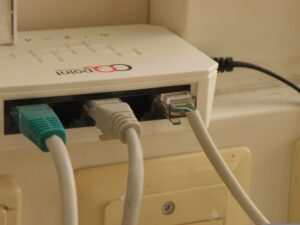
If you are unsure which box is the modem, router, gateway or fibre ONT, use our modem vs. router vs. gateway guide before sizing a battery. Missing one required power adapter can leave the whole connection offline.
Test this before a storm: save your work, switch the backup unit on, then unplug the backup unit from the wall—not the internet equipment from the backup. Confirm the connection stays up, time the transfer and make sure every required box is actually on a battery-backed outlet.
What should you keep powered?
Must stay on
Gateway, ONT and one Wi-Fi source; one work laptop; phones; a small amount of LED lighting; medical or accessibility equipment planned with professional advice.
Useful, but optional
An external monitor, extra mesh nodes, a television, speakers and more room lighting. Add them only after the essentials meet the target runtime.
Separate decision
A refrigerator, freezer, sump pump, well pump, furnace blower, microwave, kettle or space heater. These can change both the capacity and inverter-output requirement dramatically.
Reasonable planning ranges
These ranges are for early planning, not claims about a specific product. Read the power adapter or energy label, check the provider documentation and use a plug-in watt meter where possible. A device with a 65W adapter does not necessarily consume 65W continuously.
| Device | Planning range | What to check |
|---|---|---|
| ISP modem or gateway | 15–35W | Include the provider’s power adapter and do not add router power twice if routing and Wi-Fi are built in. |
| Separate fibre ONT | 5–15W | Some installations have a separate terminal or power supply; others integrate functions into one gateway. |
| Separate router or mesh node | 8–20W each | Turn off unneeded satellite nodes during a long outage. |
| Laptop | 30–100W | Consumption changes with charging, screen brightness, processor load and battery level. |
| External monitor | 20–60W | The built-in laptop screen usually uses less total energy. |
| LED bulb | 5–12W each | Use task lighting instead of lighting every room. |
| Phone charging | 5–20W | The load changes as the phone fills; a separate power bank adds resilience. |
| Television | 50–150W | Size and picture brightness matter. A phone or laptop may be more efficient for updates. |
How much battery capacity do you need?
Battery capacity is measured in watt-hours. Inverter output is measured in watts. They are not interchangeable: watt-hours estimate how long the battery can run a load, while watts tell you whether the station can run that load at all.
| Labelled capacity | Usable at 85% | Runtime at 40W | Runtime at 100W | Runtime at 200W |
|---|---|---|---|---|
| 300Wh | 255Wh | 6.4 hours | 2.6 hours | 1.3 hours |
| 500Wh | 425Wh | 10.6 hours | 4.3 hours | 2.1 hours |
| 1,000Wh | 850Wh | 21.3 hours | 8.5 hours | 4.3 hours |
| 2,000Wh | 1,700Wh | 42.5 hours | 17.0 hours | 8.5 hours |
A realistic work-from-home example
Suppose the gateway uses 25W, the laptop averages 45W, two LED bulbs use 16W and phone charging averages 10W. The planned load is 96W. A 1,024Wh station at 85% usable energy provides about 870Wh, for a calculated runtime of roughly 9.1 hours.
That is a credible workday target. It is not a promise, and it is not a four-day plan. Turning off the lights when daylight is available and letting the laptop run on its internal battery between charges can stretch the real schedule, but the calculator deliberately treats the load as constant.
UPS, portable power station or home backup?
| Your goal | Best starting point | Why |
|---|---|---|
| Ride through flickers and outages lasting minutes | Line-interactive UPS | Automatic transfer, voltage regulation and no need to move plugs when the power fails. |
| Keep only the modem and Wi-Fi online for a few hours | Larger UPS or 300–500Wh power station | The choice depends on required transfer time, runtime chart, portability and whether manual switching is acceptable. |
| Work for a full day with a laptop, phones and lights | 700–1,200Wh power station | Enough energy for many 75–120W setups, with room to charge several devices. Confirm with the calculator. |
| Cover overnight use or rotate selected household loads | 2,000Wh+ expandable system | More runtime and usually more inverter output, but it still needs a recharge plan during a multi-day outage. |
| Power circuits, a pump, heating equipment or much of the house | Home battery or generator system | This is an electrical-system project. Load calculation, starting surge, safe connection and professional installation matter. |
When a UPS is the better answer
A UPS is designed to switch over automatically when utility power fails. That makes it ideal for brief outages, voltage dips and avoiding a gateway reboot in the middle of a call. Schneider Electric says basic units often provide about 5–15 minutes, although runtime depends heavily on model and load. It recommends choosing watt capacity 20–30% above the connected load.
Do not treat VA as watt-hours. A 1,500VA UPS is not a 1,500Wh battery. Check both the UPS watt rating and the manufacturer’s runtime chart at a load close to your modem-and-router total.
When a portable power station is better
A portable station makes more sense when you need hours of runtime, want to move the battery between rooms or also need USB charging and lights. Some models advertise UPS or EPS operation, but the transfer time, outlet behaviour, grounding, charging limits and compatibility differ. Test the exact unit with your exact gateway before depending on it during a video call.
When to move up to home backup
If the real requirement includes a sump pump, well pump, furnace blower, refrigerator, medical equipment or household circuits, stop treating this as an internet-only purchase. A generator, installed home battery or professionally designed transfer setup may be a better fit. Get a qualified electrician involved before connecting any backup source to home wiring.
What happens at the station’s maximum output?
A power station has at least two separate limits: how much energy its battery stores and how much power its inverter can deliver at one moment. A 2,000Wh battery could still have an inverter too small for a kettle or motor surge.
- Below the continuous limit: the station should run the load, subject to its other operating rules.
- Near the continuous limit: heat rises and small load changes can cause trouble. Leave roughly 20–30% headroom when practical.
- Above the continuous limit: the station may alarm, reject the load or switch its AC outlets off.
- Above the surge limit: a motor or compressor may fail to start even when its normal running watts look acceptable.
Internet equipment, laptops and LED lights rarely challenge the output of a modern power station. Space heaters, kettles, microwaves, hair dryers, pumps and refrigerators are the loads that can turn an easy runtime calculation into an output problem.
Planning for a four-day outage
Four days is 96 hours. At a steady 100W, the load consumes 9,600Wh. After allowing for 85% usable energy and adding a 20% reserve, the shopping target is roughly 13,550Wh. Even a carefully reduced 50W load still points to roughly 6,780Wh with the same assumptions.
The practical four-day plan is not simply “buy a huge battery.” Reduce the load, separate must-have devices from comfort loads, and have at least one safe way to recharge. Keep a second communication path and independent lighting as well.
- Use layers: UPS for seamless internet transfer, power station for hours, phone power banks and rechargeable lanterns for small loads.
- Plan the second connection: know how to enable phone tethering, keep the carrier login available and understand the plan’s hotspot allowance.
- Create a charging schedule: charge laptops and phones in batches instead of leaving every adapter energized all day.
- Choose a recharge path: grid charging between interruptions, sufficient solar under real conditions, a vehicle-compatible method approved by the manufacturers, or a safely operated generator.
- Download essentials: emergency contacts, hydro outage information, maps and key work files should be available offline.
- Keep lighting independent: lanterns and headlamps preserve the main battery and still work if the inverter shuts down.
Solar can help, but a storm may also bring cloud, shade, snow and short winter days. Treat a panel’s advertised wattage as a best-condition rating—not guaranteed daily energy. If solar is the only recharge path, size and test the whole system around poor conditions rather than a perfect summer afternoon.
What changes in a Canadian winter?
Cold weather can reduce available battery performance, and many lithium power stations restrict or stop charging when the battery is below the model’s minimum charging temperature. Discharging and charging limits are not always the same.
- Keep the power station indoors, dry and within its specified operating range whenever possible.
- Do not charge a frozen or overly cold battery unless the manufacturer explicitly allows it or the unit has a suitable heating system.
- Lower the calculator’s usable-energy percentage if the battery will be cold. This is a planning cushion, not a substitute for the manual.
- Keep vents clear and do not cover the station to warm it while it is operating.
- Remember the larger winter problem: a long outage may also affect heat, pipes, well pumps and the provider’s network. Internet is only one part of the home plan.
For Starlink, winter adds a separate issue because dish heating can increase the internet system’s power use. Use our dedicated Starlink backup power calculator if satellite equipment is part of your plan.
Safety rules that matter
Never plug a generator into a wall outlet. The Government of Canada says a generator may be connected to home wiring only through an approved transfer panel and switch installed by a qualified electrician.
- Run a fuel-burning generator outdoors, at least 6m (20ft) from homes or buildings, with exhaust directed away from windows and doors.
- Never run a generator in a home, garage or shed. Maintain working carbon-monoxide alarms with battery backup.
- Use properly rated, certified extension cords and keep connections dry and protected from damage.
- Follow the battery manufacturer’s rules for ventilation, temperature, storage, charging and outlet loading.
- Do not improvise a home-circuit connection. Pumps, furnaces and transfer equipment belong in a professionally assessed plan.
- Do not rely on internet calling for emergency service unless you have confirmed that the internet, phone equipment and every required power source are working. Keep a charged mobile phone available.
Our practical buying checklist
- List every required internet box and record its adapter wattage or measured draw.
- Decide whether the target is 15 minutes, four hours, a workday, overnight or multiple days.
- Calculate watt-hours for the essential load, then add reserve.
- Check continuous and surge output separately from battery capacity.
- For UPS products, read the runtime chart at your load; do not compare only VA numbers.
- For power stations, check transfer time, cold-charging limit, recharge time, battery chemistry, weight, warranty and Canadian electrical certification.
- Decide how the system will recharge during a multi-day outage.
- Test the complete setup safely before storm season and repeat the test periodically.
Frequently asked questions
Will Bell Internet work during a power outage?
It may, if the Bell modem or gateway and any separate fibre equipment in your home have backup power and Bell’s network is still operating. Bell says a powered modem can keep customers connected. A home battery cannot fix damage or an outage elsewhere in the network.
Will Rogers Internet work during a power outage?
It may, if your gateway has power and the local Rogers network remains available. Eligible Rogers customers can also consider Storm-Ready WiFi, which Rogers says switches to LTE backup and provides up to four hours of battery power. Availability and requirements must be checked with Rogers.
How large a battery do I need for a modem, router and laptop?
Add their average watts, multiply by the hours needed, divide by the usable-energy percentage and add reserve. At 100W for eight hours, the raw target is about 941Wh at 85% usable energy. Adding 20% gives a shopping target of roughly 1,130Wh.
How long will a 1,000Wh power station run home internet?
At 85% usable energy, it provides about 850Wh to AC devices. That is about 21 hours at 40W, 8.5 hours at 100W or 4.3 hours at 200W. Actual runtime will vary with the station, temperature and changing loads.
Should I buy a UPS or a portable power station?
Choose a UPS when instant automatic transfer and protection through short interruptions matter most. Choose a portable power station for hours of runtime and flexible charging of laptops, phones and lights. If a station will act like a UPS, verify and test its transfer behaviour first.
Can a power station run Wi-Fi, a laptop and lights together?
Usually. A gateway, one laptop, phone charging and two LED bulbs might average roughly 75–120W, but use the labels or measurements from your equipment. The total must stay below the station’s continuous output and the battery must store enough watt-hours for the desired runtime.
Is cellphone tethering enough during an outage?
It is a valuable backup connection, but it depends on cellular signal, tower capacity, data limits and the phone’s battery. It does not power a laptop or lights. Treat tethering as one layer, not the entire outage plan.
What happens when a power station is overloaded?
It may alarm, refuse to start the load or switch off its AC output. Remove excessive loads and follow the manufacturer’s reset instructions. More watt-hours extend runtime but do not raise the inverter’s watt limit.
Our bottom line
If the goal is to protect a video call from a brief interruption, buy the correctly sized UPS. If the goal is to work for hours with internet, a laptop, phones and a few lights, a power station around 700–1,200Wh is a sensible range to investigate after using the calculator. If the real fear is another four-day outage, capacity alone is not enough: build a layered plan with reduced loads, independent lights, cellular backup and a safe recharge method.
Our planned next step: After we buy and test backup power at home, we will update this guide with measured gateway, laptop and lighting loads; transfer behaviour; recharge time; noise; and real runtime. Until then, every result on this page remains clearly identified as a calculation.
Related internet guides
Official sources checked
- Bell Support: Staying connected during a power outage
- Bell Support: Wireless Internet Backup requirements and limits
- Rogers Support: Storm-Ready WiFi FAQs
- Rogers Support: Power outages and backup options
- Schneider Electric Canada: UPS buying guide
- Government of Canada: Power outages—Get prepared
- Health Canada: Carbon-monoxide and generator safety
- CRTC: 9-1-1, internet phone service and power outages
Provider products, equipment and support guidance can change. We checked these sources on September 24, 2026. Confirm the manual for the exact modem, UPS, power station or generator you own before relying on it.