How to Get Reliable Wi-Fi in Your RV in Canada
Canadian RV internet guide
For most Canadian RVers, the best internet setup starts with cellular and adds Starlink only when the places you camp make it worthwhile. Campground Wi-Fi is useful when it works, but it should be treated as a bonus rather than the entire plan.
The right answer changes with your route, data use, power supply, tree cover, and whether missing a video call would ruin more than an afternoon.
Last checked: October 16, 2026 · Canadian prices in CAD · No provider paid for placement
Quick answerSetup finderCompare optionsStarlinkCellularData calculatorSetup examplesSecurityFAQ
Quick answer: the best RV internet setup in Canada
Start with your phone hotspot if you mostly camp near towns, highways, and serviced parks. Move to a dedicated hotspot or cellular router when several devices need to connect. Add Starlink Roam when you regularly stay beyond dependable mobile coverage, but only after checking that your campsites have enough open sky.
Anyone who depends on internet for work should carry two genuinely different options. Starlink plus cellular is a common pairing because trees can interrupt satellite service while a remote location can defeat cellular service.
Simplest first step
Test your phone hotspot
You may already have enough equipment for short trips. Check full-speed data and tethering rules first.
Current Roam choice
100GB, 300GB, or Unlimited
The 300GB tier now fills the gap between occasional trips and unlimited use.
Biggest Starlink limit
Trees still matter
A smaller dish does not remove the need for a wide, clear view of the sky.
Safety rule
Internet is not rescue gear
Carry offline information and an emergency plan suited to the remoteness of the trip.
Find your RV internet starting setup
Choose the answers closest to a normal trip. Your result stays in your browser and is meant as a shortlist, not a promise of coverage.
Canadian RV internet setup finder
Four quick questions. No email address and no answers are sent anywhere.
Your starting setup
Before buying, check mobile coverage for the route, use the Starlink app at a typical campsite, confirm current plan terms, and decide what you will do if both connections fail.
How much data will streaming use in your RV?
Video usually decides whether 100GB feels generous or tiny. Estimate one stream below, then add a separate estimate for calls, phone backups, app updates, game downloads, browsing, and other devices.
RV streaming data calculator
Uses Netflix’s published maximum hourly figures as a planning estimate. Actual use varies by service, device, title, and connection.
Your planning estimate
This is a budgeting estimate, not a usage meter. Check the data counters in your Starlink or mobile account and lower streaming quality when needed.
Downloads can be bigger than streaming: operating-system updates, cloud photo backups, game downloads, and offline video can use tens or hundreds of gigabytes. Download before leaving home when possible, and turn off automatic cloud backup on a metered travel connection.
The three layers of a reliable RV setup
1
Cellular for ordinary travel
Use a phone hotspot, mobile hotspot, or cellular router where LTE or 5G is dependable. It is quick to start and works without placing a dish outside.
2
Starlink for open, remote sites
Use Roam when tower coverage is weak and the campsite has open sky. Trees, cliffs, tunnels, buildings, and an RV roof can interrupt the path.
3
Campground Wi-Fi as a bonus
Use it when the signal and backhaul are good. Do not make an important meeting depend on a shared network you have not tested.
You may not need all three. A weekend camper near Winnipeg, Calgary, or Toronto may be fine with a phone hotspot. A full-time traveller working from forested provincial parks may need Starlink, cellular, downloaded files, and a fallback location. Buy for the trips you actually take.
RV internet options in Canada compared
| Option | Best fit | Main advantage | Watch for |
|---|---|---|---|
| Phone hotspot | Short trips, one or two devices, populated routes | No extra hardware to buy | Tethering rules, phone battery, heat, and weak rural coverage |
| Mobile hotspot or cellular router | Families, remote workers, and a permanent RV network | Shares a mobile connection without tying up one phone | Carrier coverage, full-speed data, antennas, equipment support, and plan eligibility |
| Starlink Roam | Remote campsites with open sky, regular travel, and heavier use | Works well beyond many terrestrial mobile routes | Tree cover, power, safe placement, congestion, data tier, and monthly cost |
| Campground Wi-Fi | Light browsing and a free or included backup | No separate data plan when it performs well | Distance, shared capacity, weak backhaul, login portals, and public-network security |
| Satellite-to-phone service | Messaging and supported low-data apps outside tower coverage | Works on compatible phones without an RV dish | Not laptop Wi-Fi or a streaming connection; coverage and functions remain limited |
| Park or local fixed internet | One seasonal site where the RV stays put | Can be simpler than a portable service | Park rules, address eligibility, installation, seasonal billing, and site-specific availability |
Satellite-to-phone service has improved. Rogers Satellite now supports messaging and select low-data satellite-ready apps on compatible devices in supported outdoor areas. It is useful as another layer, but it is not a replacement for Starlink Roam, a hotspot, or full RV Wi-Fi. Read the updated Rogers Satellite and Starlink Direct to Cell guide for device and coverage limits.
Using Starlink in an RV in Canada
Starlink can be excellent at an open campsite and frustrating under a dense canopy. That contrast is why the Starlink app's obstruction check belongs near the start of the decision, not after you buy a roof mount.
Current Starlink Roam plans
| Plan | Canadian price checked | High-speed data | Good starting fit |
|---|---|---|---|
| Roam 100GB | $75 per month | 100GB, then unlimited low-speed data | Weekend trips, maps, email, browsing, and limited video |
| Roam 300GB | $110 per month | 300GB, then unlimited low-speed data | Regular travel, a couple of users, calls, and moderate streaming |
| Roam Unlimited | $200 per month | Unlimited high-speed Roam data, subject to service terms and network management | Heavy use, several people, daily streaming, or frequent work |
For the full comparison, including Canada and United States travel, international limits, inland and coastal use, and Standby Mode, read Starlink Roam Canada. You can also compare Starlink Roam vs Residential if the RV stays at one seasonal site.
Pause has changed: eligible Starlink lines now use Standby Mode rather than the old free, fully paused state. Standby provides low-speed service and easy reactivation for a fee shown in the account. It is not intended for high-bandwidth or in-motion use. Confirm eligibility and cost before using it in a seasonal budget.
Starlink Mini or Standard kit?
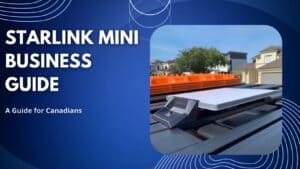
Starlink Mini
Best fit: limited storage, frequent setup and packing, battery use, small RVs, camping, and backup internet.
The Mini weighs about 1.1 kg without the kickstand, includes an integrated Wi-Fi router, and averages roughly 25 to 40 watts in Starlink's specification sheet. Power compatibility still matters. A random cable or under-rated USB source is not a safe assumption.
See the Starlink Mini Canada guide for current hardware, power, plan, and retailer details.
Standard kit
Best fit: longer stays, reliable AC power, more storage, a seasonal location, or a setup that does not need to fit in a small travel bag.
The exact kit and router bundled at checkout can change. Compare the live hardware package, mount, cable length, power demand, and plan compatibility rather than relying on an older unboxing video.
If the dish will remain at one address, check Residential availability and terms before defaulting to Roam.
Starlink RV setup checklist
- Use the Starlink app to check the actual campsite for obstructions.
- Keep the dish outside with a broad view of the sky. It does not work through an RV roof.
- Route the cable without pinching it in a door, creating a trip hazard, or leaving connectors in standing water.
- Use a mount designed for the hardware and conditions. The portable kickstand is not automatically a safe vehicle-roof mount.
- Confirm that the power source, connector, fuse, cable gauge, inverter, and adapter match the manufacturer's requirements.
- Download the app, sign in, and save support information before leaving mobile coverage.
- Test the full setup before an important workday or remote trip.
Using Starlink while moving: current Roam service supports in-motion use in select authorized areas. That does not make a temporary campsite setup road-safe. Use suitable hardware, follow Starlink's current terms, and comply with vehicle, mounting, and road rules.
Cellular internet and hotspots for RVs
Cellular is still the most convenient connection when it reaches the campsite. It starts quickly, works inside the RV, and does not need an open northern sky. The problem is geography. Population coverage figures can look excellent while a backroad, lake, mountain valley, or park remains outside useful service.
Canadian coverage context: the CRTC's 2026 market report says mobile networks cover 87% of major roads and highways. It also shows that rural 5G coverage trails the national rate. Check the exact route and campsite, and remember that a coverage map is a model rather than a guarantee.
Phone hotspot
Best for short trips and light use. It costs nothing extra if your plan already allows enough tethering, but it can drain and heat the phone.
Mobile hotspot
A separate battery-powered device can serve several users without making one phone the centre of the RV network.
Cellular router
Useful for a permanent RV network, wired devices, external antennas on compatible equipment, and automatic failover on some models.
What to check before choosing a mobile plan
- Compare coverage on the roads and campgrounds you use, including LTE rather than only 5G.
- Confirm how much full-speed data can be tethered or used in a hotspot or router.
- Read what happens after the full-speed allowance is used.
- Ask whether the SIM and plan are permitted in the device you intend to use.
- For important work, compare networks that are useful in different places rather than buying two similar plans without checking coverage.
- Test the connection at the site before an important call. Bars on a phone do not measure upload stability or congestion.
Before buying a signal booster: a booster can strengthen an existing outside signal, but it cannot create service where none reaches the antenna. In Canada, cellular enhancers must be certified and customers must obtain consent from the licensed service provider before installation and use. Follow the carrier and manufacturer's installation rules.
Campground Wi-Fi: separate signal from speed
Weak signal at your site
A properly placed travel router, outdoor receiver, or supported extender may improve the connection between the RV and the campground access point.
It will not add speed to the campground's internet feed.
Strong signal but slow internet
The park's backhaul or shared network may be overloaded. A booster can give you a stronger connection to the same slow network.
Switch to cellular or Starlink, reduce video quality, or wait until the network is quieter.
If you only need a short-term connection, the guide to finding free Wi-Fi in Canada explains safer public options. To find out whether the connection or the Wi-Fi link is failing, use the Internet Speed Test Canada guide.
Recommended setups by RV travel style
Weekend camper near towns
Start with your phone hotspot. Use campground Wi-Fi when it performs well, and download maps, music, and shows before leaving home. Do not add Starlink until real trips show a repeated coverage gap.
Family RV trips with regular streaming
A dedicated hotspot or cellular router is easier to share than one phone. Compare the plan's full-speed data and use the calculator above. For rural stops with open sky, Roam 300GB may be the useful middle choice; heavier daily video can point toward Unlimited.
Remote worker travelling in an RV
Use two different paths, commonly Starlink and cellular. Test upload, latency, power runtime, and video calls before the workday. Download important files, keep phone numbers for meetings, and identify a library, coworking space, or town as the fallback.
If the service is for a company, work crew, commercial vehicle, or revenue-critical operation, confirm Starlink's current usage terms and compare Priority or business service rather than assuming a personal travel plan is permitted.
Seasonal RV site
Ask the park about wired or fixed service first. If Starlink is needed and the dish remains at one eligible address, compare Residential with Roam. Check tree cover, site rules, safe mounting, seasonal billing, and whether the account can be reactivated when you return.
Boondocking or Crown land camping
Starlink Mini can be a strong portable choice when the site has open sky and enough power. Keep cellular available where it works. Bring offline maps, weather information, and an emergency communication plan because no consumer internet connection should be treated as guaranteed rescue service.
Cross-border or international RV travel
Do not rely on old Global Roam advice. Current travel regions and time limits differ by plan. Start with the updated Canadian Starlink Roam guide, then confirm the destination, duration, local authorization, account country, and current terms with Starlink.
RV Wi-Fi security and safety checklist
- Prefer your own cellular or Starlink connection for sensitive work.
- Verify the campground network name with staff before joining it.
- Use HTTPS sites, multi-factor authentication, current software, and a strong device passcode.
- Turn off automatic connection to open networks and disable file sharing on public Wi-Fi.
- For employer data, use the security tools and corporate VPN required by the organization. Do not substitute an unknown free VPN.
- Change the default administrator password on your own router and use WPA2 or WPA3 where supported.
- Keep work devices and unknown guest or smart devices separated when the router supports a guest network.
- Use a trusted private connection for banking and other sensitive tasks whenever possible.
Public Wi-Fi is not automatically unsafe, and a VPN is not automatically trustworthy. The Canadian Centre for Cyber Security recommends a corporate VPN when connecting to corporate resources over an unmanaged network and cautions businesses about relying on public VPN providers they have not assessed.
Before you spend money
- Write down three real destinations. Check carrier maps and campground information for those places.
- Estimate the monthly data. Count video, calls, game downloads, updates, and cloud backups.
- Check sky and signal. Mobile coverage and Starlink obstruction are different problems.
- Plan the power. Include the dish, router, hotspot, laptops, phones, and conversion losses.
- Read the current terms. Confirm plan eligibility, travel region, in-motion use, pausing, throttling, and device rules.
- Test before the important trip. Set up every cable, app, mount, battery, and fallback at home.
The Internet Backup Power calculator can help with batteries and runtime. For a broader technology comparison, see fibre vs cable vs DSL vs 5G vs satellite internet.
RV internet in Canada FAQ
What is the best internet option for an RV in Canada?
Cellular is the easiest starting point near towns and highways. Starlink Roam is stronger for many remote, open campsites. Full-time travellers and remote workers often benefit from carrying both because the two systems fail in different places.
Which Starlink Roam plan is best for RV travel?
Roam 100GB fits lighter or occasional travel. Roam 300GB gives regular travellers and moderate streamers more room. Roam Unlimited is the safer comparison for heavy daily use or several people. Run the data calculator and confirm current prices and terms before ordering.
Is Starlink Mini better than Standard for an RV?
Mini is usually easier to store, carry, and power, which makes it attractive for road trips and smaller RVs. Standard can suit longer stays or a seasonal setup where storage and power matter less. Both need open sky and a safe setup.
Can I use Starlink Residential in an RV?
Residential is designed around an eligible fixed service address. It may be worth comparing when the RV remains at one seasonal site. If the dish moves between campgrounds or temporary stops, Roam is the plan family designed for travel. Confirm current service-address and portability rules in the account.
Will a Wi-Fi booster fix bad campground Wi-Fi?
It may improve a weak link between the RV and an access point. It cannot fix slow campground backhaul, congestion, or a poorly managed network. Test near the office and at the campsite to separate signal from internet capacity.
Can a cellular booster create service in a dead zone?
No. A booster needs a usable outside signal to amplify. Canadian certification, carrier consent, antenna separation, cable loss, installation, and supported frequencies also matter. Check with the carrier and choose certified equipment.
Does satellite-to-phone service replace RV Wi-Fi?
No. It can extend messaging and selected low-data apps to compatible phones in supported outdoor areas, but it does not create a normal Wi-Fi network for laptops, TVs, and several devices. It is another communication layer, not full broadband.
Is campground Wi-Fi safe for remote work?
Treat it as an unmanaged public network. Follow the employer's security policy, use its approved corporate VPN and authentication tools, keep devices updated, and prefer your own cellular or Starlink connection for sensitive work.
How this guide was checked
This guide is published under Michael Latymer's byline and edited by Kelly Hanna. It was checked against Starlink's Canadian Roam page and support documents, the Starlink Mini specification sheet, the CRTC's 2026 mobile-coverage reporting, Rogers Satellite support information, ISED rules for cellular enhancers, Canadian Centre for Cyber Security Wi-Fi guidance, and Netflix's published data-use settings.
Primary sources: Starlink Canada Roam; CRTC Canadian Telecommunications Market Report 2026; Rogers Satellite FAQ; ISED cellular enhancer policy; Canadian Centre for Cyber Security Wi-Fi guidance; and Netflix data-use settings.
Plans, prices, hardware bundles, coverage, supported devices, travel rules, and account eligibility can change. Confirm current details with the provider before buying equipment or relying on a connection for work or safety. Read the editorial policy or report a correction.