Rogers Satellite Canada: Starlink Direct to Cell Guide
Updated September 2026 · Rogers Satellite Canada guide
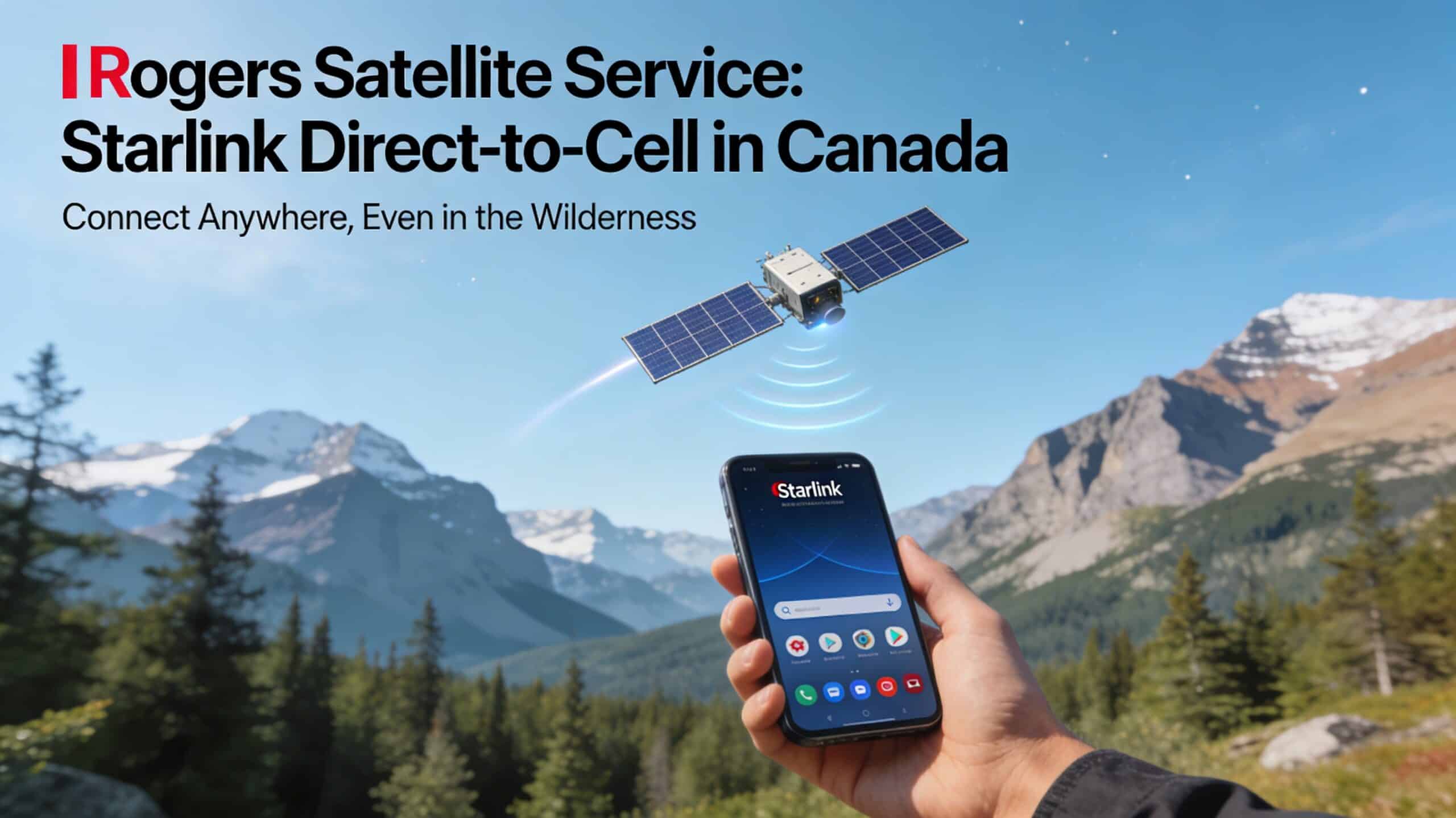
Rogers Satellite gives supported phones and select smartwatches a limited connection in outdoor dead zones. It uses Starlink Direct to Cell satellites, but it is not full Starlink internet. Think texts, emergency messaging, maps, weather, and a short list of compatible apps rather than normal browsing or laptop WiFi.
Rogers Satellite quick facts
| Status | Live paid service. Rogers launched Rogers Satellite with satellite-ready app support in December 2025. |
| Network | Starlink Direct to Cell satellites use Rogers mobile spectrum and connect into the Rogers network. |
| Current features | SMS, iMessage, RCS, Text to 911, public alerts, emergency location sharing, and select satellite-ready apps on supported devices. |
| Supported apps | Rogers currently lists WhatsApp, Google Maps, Messenger, AccuWeather, X, CalTopo, onX, and AllTrails. Available features depend on the phone, operating system, and app version. |
| Voice calls | Normal phone calls and voice calls to 911 are not supported over Rogers Satellite. Voice or video calls inside a supported app, such as WhatsApp, may work on select phones. |
| Canada coverage | Most outdoor Canadian areas south of the 58th parallel where cellular and WiFi service are absent, subject to exclusions and the current coverage map. |
| U.S. coverage | Select U.S. satellite areas through eligible Rogers plans or roaming options. The regular Rogers Satellite add-on does not include U.S. satellite roaming by itself. |
| Price | Included with current Rogers 5G+ Lite, Essentials, Popular, and Ultimate plans while the customer stays eligible. Other Rogers customers currently pay $10 per month for 12 months, then $15. A new satellite-only account is $15 per month. |
| Hardware | No dish is required. You need a supported device with current software. Customers keeping another carrier need an unlocked device and a Rogers eSIM. |
Check before relying on it
Use the Rogers device checker and current coverage map, then test the service somewhere safe. Trees, terrain, weather, satellite position, network conditions, and battery level can delay or block the connection.
What is Starlink Direct to Cell?
Starlink Direct to Cell lets a compatible phone connect to a satellite that behaves like a cell tower. SpaceX operates the satellites. Rogers supplies the licensed Canadian spectrum, mobile service, billing, and customer support.
There is no Starlink dish, router, or vehicle antenna to buy. Once both cellular and WiFi coverage disappear, an activated phone searches for the satellite network. In Canada, the network name changes to ROGERS SATELLITE when it connects.
The similar names can be confusing. Starlink home internet provides WiFi for computers, televisions, cameras, and other devices. Rogers Satellite is a phone backup for light communication, navigation, weather, and safety.
What the connection needs
- No regular signal: Rogers Satellite is intended for places without a traditional cellular or WiFi connection.
- Open sky: You need to be outside with an unobstructed view of the sky.
- A supported device: Compatibility depends on the model and its current software.
- An active service: Rogers Satellite must be included in your plan or added to your account before the trip.
- Patience: A message may go through quickly, or it may take several minutes.
What Rogers Satellite can do now
Text messages
Messages use the phone’s normal messaging app. Depending on the device, that can include SMS, iMessage, or RCS. Delivery may be quick, but it can also take several minutes while the phone waits for another satellite connection.
Photo support is less clear than the sales page suggests. Rogers advertises photo sharing through apps such as iMessage, but its current service terms say iMessage and RCS cannot send or receive multimedia over satellite. MMS is limited to 3 KB, far below the size of a normal phone photo. Plan around text unless Rogers confirms otherwise for your exact phone and app.
Text to 911
Text to 911 is included for Rogers Satellite customers in Canada at no extra charge. The message goes to a third-party emergency relay centre, which contacts the appropriate local service. This is not the same as calling 911.
In an emergency, start a new message to 911. Include your name, mobile number, location, a clear description of what happened, useful medical details, and remaining battery life. Do not add another recipient, photo, video, attachment, or emoji. Stay outside with a clear sky view while waiting for a reply.
Emergency caution
Text to 911 can be delayed, limited, or unavailable, and location information can fail. For a serious wilderness trip, a dedicated satellite messenger or personal locator beacon may still be the better primary safety tool.
Satellite-ready apps
The current Rogers list includes WhatsApp, Google Maps, Messenger, AccuWeather, X, CalTopo, onX, and AllTrails. The mix covers basic messaging, maps, weather, and updates, although not every feature works on every supported phone.
WhatsApp and Messenger may support calls inside the app on select phones. Ordinary phone calls, voice calls to 911, unrestricted web browsing, and streaming still do not work over Rogers Satellite.
Supported apps use the data allowance attached to the plan. Satellite capacity is limited, so an app may load slowly or work differently than it does on 5G. Update the apps, sign in, and download maps before leaving regular internet coverage.
Compatible phones and smartwatches
Rogers says most modern phones and select smartwatches are compatible. Support still varies by model and software, so check the exact make, model, or IMEI in the Rogers compatibility tool. Install the latest operating-system update before a trip.
Basic texting support and app support are not the same. Satellite-ready apps require an optimized phone and operating system. Rogers currently lists app capability on select Apple, Google Pixel, and Samsung phones. Smartwatches do not support those apps.
Rogers currently includes the satellite service with compatible Apple Watch plans until December 31, 2027. Check the watch model, paired-phone requirements, and current plan terms before counting on it.
Keeping another carrier
You can keep your main mobile provider and open a separate Rogers Satellite account. The phone or smartwatch must be compatible and carrier-unlocked, and Rogers supplies an eSIM for the satellite service.
Rogers Satellite pricing in Canada
| Customer | Current price | Important detail |
|---|---|---|
| New Rogers 5G+ Lite, Essentials, Popular, or Ultimate customer | Included | Rogers says the service remains included while you stay on an eligible current plan. Confirm that Rogers Satellite appears in the plan details. |
| Rogers customer on another plan | $10 per month for the first 12 months, then currently $15 per month | Add it through MyRogers. Any account discount should appear on the bill. |
| Customer keeping another carrier | $15 per month | This is a separate Rogers Satellite account for a compatible unlocked device. |
| Compatible Apple Watch plan | Included until December 31, 2027 | The watch must be compatible. Satellite-ready apps do not work on smartwatches. |
Prices are in Canadian dollars and were checked September 4, 2026 on the Rogers Satellite page. Offers can change. Your plan details, Mobile Service Agreement, or checkout screen should be the final word on the price.
Coverage in Canada and the United States
Canada coverage
Rogers Satellite covers many outdoor Canadian areas south of the 58th parallel when cellular and WiFi service are absent. Some regions are excluded. The coverage map is an estimate, not a promise that every trail, lake, or road inside the shaded area will connect.
Rogers advertises its combined cellular and satellite footprint as covering three times more square kilometres than any other Canadian mobile provider. That comparison does not guarantee a usable connection in every remote location.
Places where it can help
- Remote highways: A basic connection can matter when a breakdown happens far from a tower.
- Cottage roads and lake country: It can keep texts moving outside when the property has no mobile signal.
- Trails and backcountry routes: Supported map, weather, and messaging tools can provide a useful backup.
- Field work: Forestry, surveying, utilities, research, and other remote jobs may benefit from simple communication.
- Near-shore waterways: Outdoor service may work where the map shows coverage and the sky is visible. It is not a marine service.
U.S. satellite roaming
Rogers added satellite-to-mobile roaming in select U.S. areas in April 2026 through T-Mobile’s T-Satellite network. It is included with Rogers plans that have U.S. roaming and with eligible options such as U.S. Roam Like Home Daily and U.S. Travel Pass.
The regular Rogers Satellite add-on does not include U.S. satellite roaming by itself. Cruise travel passes provide this feature only while you are on land in the United States, not on the ship. The Rogers roaming guide lists the eligible plans and current features.
Places where it should not be your main plan
- North of the 58th parallel: The current consumer service does not cover that area.
- Inside a cabin, vehicle, or building: Rogers requires an outdoor view of the sky.
- Dense forest or steep terrain: Trees, valleys, canyons, and mountains can block the signal.
- Air travel: Rogers Satellite is not available on airplanes.
- Cruise ships or offshore travel: The service is not designed for use on cruise ships, and it should not be treated as offshore marine coverage.
Who should consider Rogers Satellite?
It makes sense for
- People who regularly leave cell coverage: Campers, hikers, hunters, anglers, paddlers, and remote drivers have a clear use for it.
- Cottage owners: It can help with outdoor texts and maps. For full cabin WiFi, read our Starlink for cottages guide.
- Remote workers: It can provide simple check-ins, weather, and navigation when the main connection disappears.
- Current Rogers 5G+ customers: The value is stronger when the service is already included in the plan.
- People on another carrier: A separate Rogers account can add a satellite backup without replacing the main mobile plan.
You may not need it if
- You stay inside normal coverage: Paying for a remote area backup makes little sense if you rarely enter a dead zone.
- You need full internet: Choose a full connection such as Starlink Roam, home Starlink, or a cellular hotspot where tower service exists.
- You need guaranteed emergency coverage: No satellite system is guaranteed, but dedicated emergency devices may offer features and coverage better suited to a serious expedition.
- Your device is not supported: Compatibility is the first requirement, not a small detail.
How to activate Rogers Satellite
Step 1: Check the exact device
Enter the make, model, or IMEI in the Rogers device checker. Confirm both basic messaging and satellite-ready app support if the apps matter to you.
Step 2: Add the service
Current Rogers customers can use MyRogers to confirm an included feature or add the monthly service. People with another carrier create a separate Rogers Satellite account.
Step 3: Install the eSIM while online
You need normal cellular data or WiFi to download the Rogers eSIM. Do this at home. Do not leave it until you are already in a dead zone.
Step 4: Follow the settings for your phone
Dual-SIM settings differ between Apple, Google Pixel, Motorola, and Samsung devices. Follow the Rogers setup page for your phone. Some Android devices can keep only one eSIM and one physical SIM active at a time.
Step 5: Restart and prepare your apps
Rogers recommends restarting the phone after activation. Update the operating system and every satellite-ready app, then sign in and download any maps you may need.
Step 6: Test before the trip
Try the service in a safe outdoor place where normal cellular and WiFi signals are absent. Confirm the satellite network label appears and send a regular message. Never test emergency messaging by contacting 911 without a real emergency.
Rogers Satellite compared with other options
| Option | Best use | Main limit |
|---|---|---|
| Rogers Satellite | Everyday texts, Text to 911, maps, weather, and selected apps on a compatible phone in an outdoor dead zone. | No normal satellite voice, open web access, streaming, or full mobile data. |
| Apple satellite features | Messages, Emergency SOS, roadside help, and Find My on iPhone 14 or newer in supported regions. | Apple device only, with different features and availability from Rogers Satellite. |
| Starlink Roam or Mini | Full internet for laptops, work, streaming, and several devices at an RV, cottage, campsite, or job site. | Needs a Starlink terminal, power, a service plan, and a clear view for the dish. |
| Dedicated satellite messenger | SOS, location tracking, and simple two-way messaging on serious backcountry trips. | Requires another device and usually a separate subscription. |
| Satellite phone | Voice communication for expeditions, remote operations, or locations where phone calls are essential. | Equipment and service cost more, and coverage still depends on the network and sky view. |
Rogers Satellite or Apple satellite service?
Rogers Satellite and Apple satellite tools can exist on the same iPhone, but they are separate services using different satellite networks. On iPhone 14 or later in Canada, Apple offers Messages via satellite, Emergency SOS, Find My, and roadside assistance where available. Apple says Messages via satellite is free for two years after an eligible iPhone is activated.
Rogers works with a wider mix of supported phone brands and adds selected third-party apps. On a compatible iPhone, Rogers Satellite connects first. If it is unavailable, the phone may then offer Apple’s satellite tools. Learn both before a trip rather than meeting the prompts for the first time during an emergency.
If you need full travel internet, compare Starlink Roam and Residential or read the Starlink Mini Canada guide. RV owners can also use our guide to reliable WiFi in an RV.
Important limits to understand
- No ordinary satellite voice: App calls may work on supported phones, but the normal dialler and voice calls to 911 do not.
- No open internet: The service is limited to messaging and approved satellite-ready apps.
- No reliable media sharing: Current legal terms block multimedia in iMessage and RCS and limit MMS files to 3 KB.
- No indoor service: A roof, vehicle body, or cabin can block the satellite view.
- No simultaneous third-party satellite connection: Rogers says its network connection takes priority while it is active.
- Messages can be slow: Delivery may take several minutes or fail during a coverage gap.
- Apps use plan data: Satellite app use is deducted from the data allowance tied to the plan.
- The map is approximate: Terrain, trees, weather, phone software, battery level, and satellite position all affect the real result.
Practical Canadian use cases
Remote highway breakdown
A driver outside tower coverage may be able to send a location and ask family or emergency services for help. Keep a charged power bank in the vehicle. Cold weather and a weak phone battery can turn a useful service into no service at all.
Backcountry hiking
A supported map or weather app can help, and a short check-in can reassure family. Save maps before leaving. For a long solo route or a trip with serious risk, pair the phone with a purpose-built emergency device.
Cottage and lake country
Rogers Satellite can help with outdoor messages when a cottage road or shoreline has no mobile signal. It will not provide indoor WiFi for work calls, cameras, television, or guests. A full Starlink kit is the better match for those jobs.
RV travel
This is a simple safety layer for dead zones between towns. It is not an RV internet system. Remote workers and families who stream still need Starlink Roam, a mobile hotspot, campground WiFi, or a mix of connections.
Frequently asked questions
Is Rogers Satellite the same as Starlink internet?
No. Rogers Satellite gives a compatible phone or smartwatch a limited direct-to-satellite connection. Starlink internet uses a separate terminal and router to provide full internet and WiFi.
Do I need to be a Rogers mobile customer?
No. Canadians can keep another mobile provider and open a separate Rogers Satellite account. The device must be compatible and carrier-unlocked, and you need the Rogers eSIM.
How much does Rogers Satellite cost?
It is currently included with eligible Rogers 5G+ Lite, Essentials, Popular, and Ultimate plans. Other Rogers customers pay $10 per month for the first 12 months and then $15. A new satellite-only account is $15 per month.
Does Rogers Satellite work with every recent phone?
No. Rogers says most modern phones and select smartwatches work, but support varies by model and software. Satellite-ready apps require an optimized phone. Check the exact device before paying.
Can I use Rogers Satellite inside a cottage or vehicle?
Do not count on it. The device needs to be outdoors with an unobstructed view of the sky. A roof, vehicle body, dense trees, steep terrain, or tall buildings can interrupt the connection.
Can I make phone calls over Rogers Satellite?
Ordinary phone calls and voice calls to 911 are not available. Supported apps such as WhatsApp may provide voice or video calling on select optimized phones.
Can I send photos or videos over Rogers Satellite?
Current Rogers terms say iMessage and RCS cannot send or receive multimedia over satellite. MMS files are limited to 3 KB. Treat photo and video messaging as unavailable unless Rogers confirms support for your exact app and device.
Does Rogers Satellite work in the United States?
Yes, in select U.S. satellite areas when your Rogers plan includes U.S. roaming or you add an eligible roaming option. The regular Rogers Satellite add-on does not include U.S. satellite roaming by itself, and it does not work from a cruise ship.
How is Rogers Satellite different from Apple satellite features?
Rogers uses a carrier satellite network and supports a range of compatible devices and selected apps. Apple provides separate satellite tools on iPhone 14 or later, including Messages, Emergency SOS, Find My, and roadside assistance where available.
Is Rogers Satellite enough for remote work?
No. It can handle brief messages, maps, weather, and selected low-data apps. It does not provide normal web access, video meetings, cloud work, or laptop WiFi. Use Starlink or another full internet connection for remote work.
The bottom line
Rogers Satellite is most useful for Canadians who regularly drive, work, camp, or spend weekends beyond cell coverage. A short message, a map, or another route to emergency help can matter in a dead zone.
It is still a backup, not a full connection. You need the right device, an active plan, open sky, and a covered location. Ordinary voice calls and full mobile data are unavailable, and even Text to 911 can be delayed or fail.
Choose it if: you often enter outdoor dead zones and want a simple backup on the device you already carry.
Choose a full Starlink kit or another tool if: you need reliable work internet, indoor WiFi, streaming, expedition-grade safety features, offshore coverage, or normal voice calls.